Lead forms
Inquiry, booking and service forms you design, embed on your site or share as a link. Answers file themselves into the project.
StudioBook by Point of Solutions
StudioBook is the client management platform for service businesses: capture leads, send proposals and contracts, get signed and paid online, and let automations and AI do the follow-up.
The demo opens a private studio with sample clients. No sign-up form.
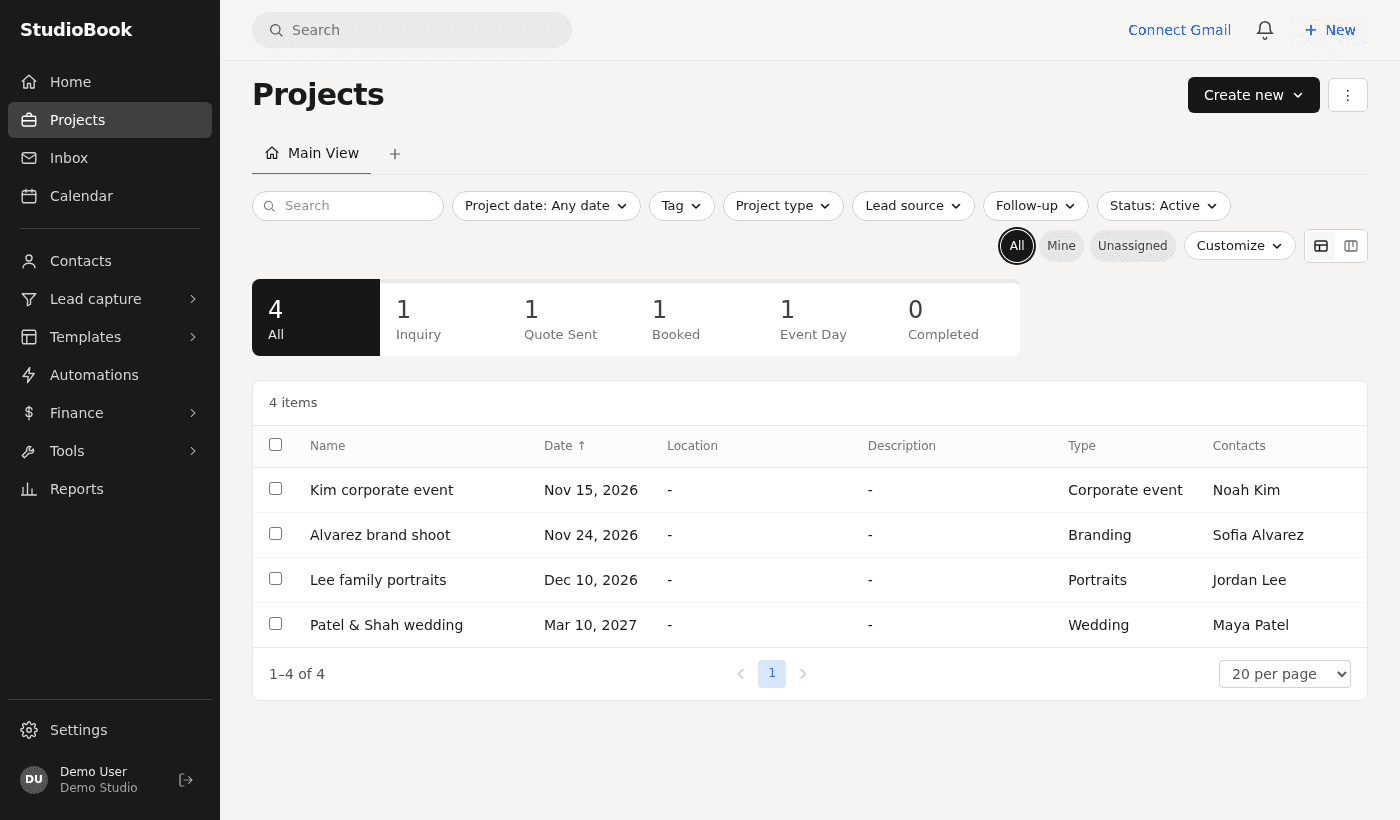
The client journey
Everything a client goes through with you is connected, so nothing is retyped and nothing is forgotten.
A form on your website or a shared link. Every inquiry becomes a contact and a project in your pipeline, and you are notified at once.
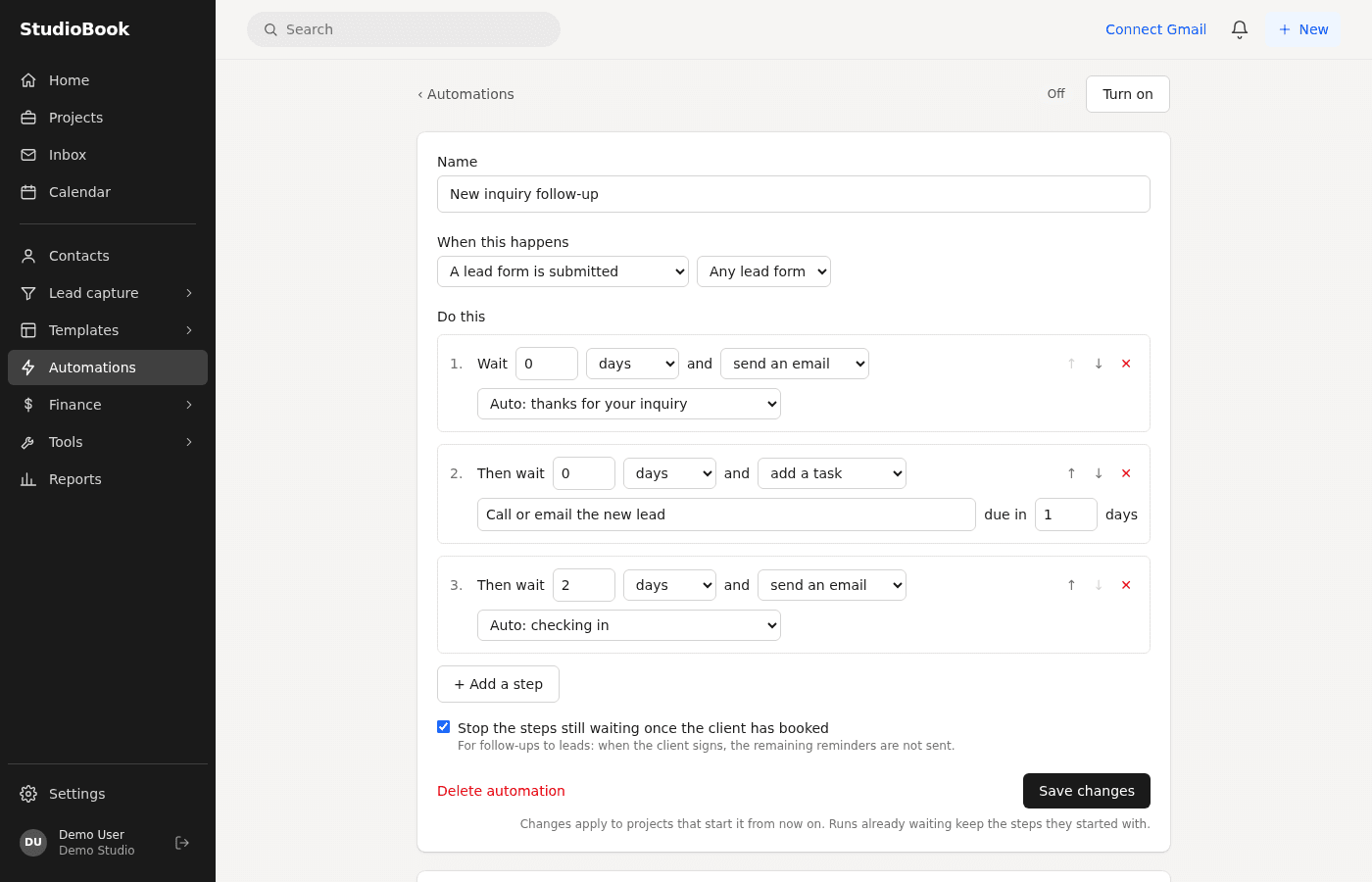
Email the client from the project. Automations send the thank-you and the check-in so no lead goes cold.
Build a proposal with services, packages, a contract and a payment schedule from a template, and send it in a click.
The client reads, signs and pays the deposit online from one link. Their signed copy downloads as a PDF.
Tasks, notes, meetings and the client portal keep the project on track until the final payment.
Features
Inquiry, booking and service forms you design, embed on your site or share as a link. Answers file themselves into the project.
See every lead and project by stage, in a list or a board. Stages move by themselves when a file is sent or signed.
One record per client with their projects, notes and history. Import your existing contacts from a spreadsheet.
Write to clients from the project with templates and smart fields. Connect Gmail or Outlook so replies land in the right project.
One smart file can hold your offer, packages, services, questionnaire, agreement and payment schedule.
Clients sign by typing their name. Each signature is recorded with time, IP address and a document fingerprint.
Deposits and instalments with automatic reminders before and after the due date. Card and bank payments through Stripe.
Session types with your availability, buffers and limits. Clients book from a link, a form or inside a file.
Each client gets a private page with their files, payments, meetings, tasks and notes. No password to remember.
Assign tasks with due dates and reminders, and track time per project with a live timer.
Meetings, project dates and bookings in one calendar, synced with Google Calendar or Outlook.
Invite your team with roles, assign projects and see who is working on what.
When a lead comes in, a client signs or a payment arrives: send the email, add the task, move the stage or send the next file by itself.
Describe what you need and get a complete proposal template, lead form or email. Draft or reword any message in a click.
A page editor for file templates, an email template library and a gallery of ready-made starting points.
Payments, expenses and what is owed, with reports on sales, bookings and where your leads come from.
Automations and AI
Switch on a ready-made automation or build your own in plain sentences. Add an AI key and describe what you need instead of writing it.
Questions
Open a demo studio with sample clients and click through the whole journey. It takes one click.